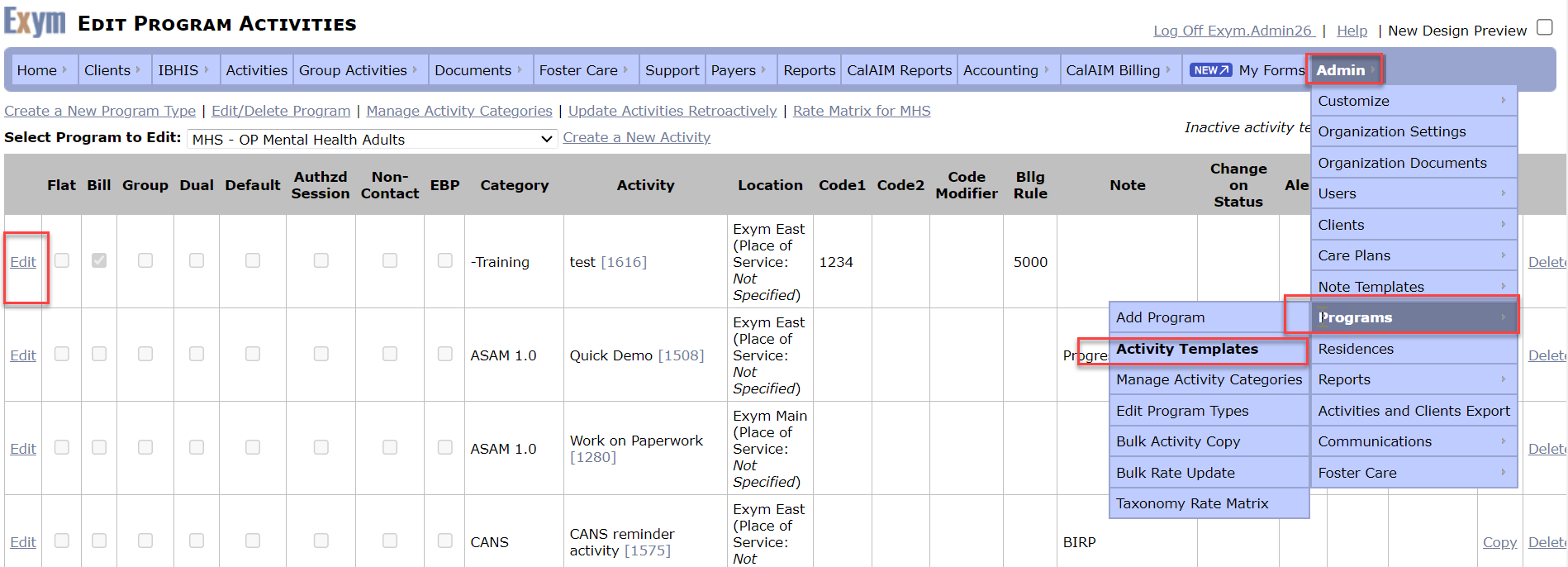
Preventing notes for staff that cannot bill for service
It entails programming the activities to look at credential types so that a “mismatch” would essentially remove that option from the staff’s activity menu.
In order to set up this functionality, there are two very important places in the system to ensure are updated.
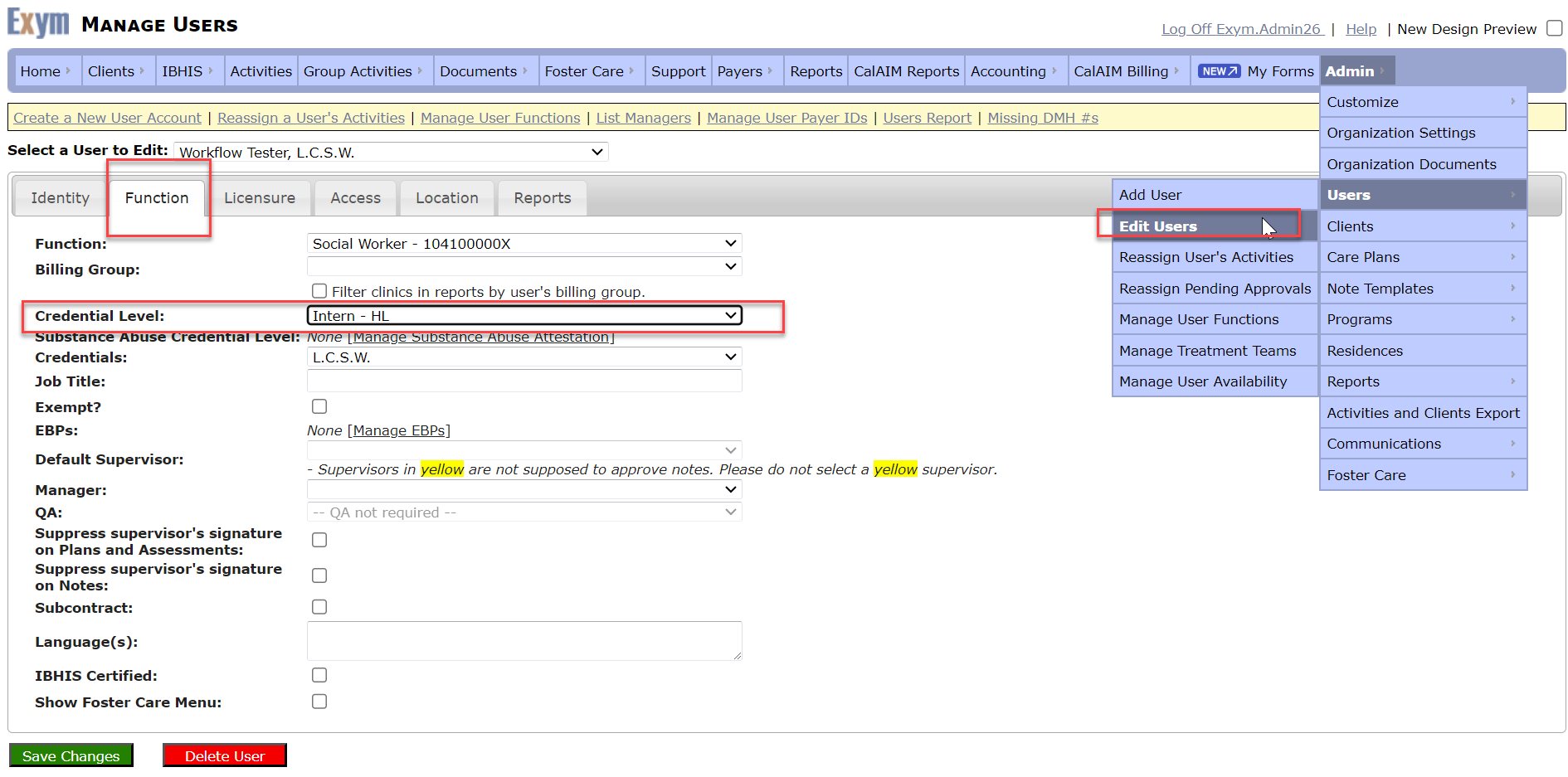
The first is the User Settings:
Navigating to Admin à Users à Edit, then selecting the user to edit, one can access the “Function” tab where a credential level may be selected. You are essentially creating a category for this user that looks for similar categorization to match up what that staff “should” see when looking at the activity tab. **please note, if no credential level is selected (left blank) this will essentially allow that user to see all activities in the drop down menu.**
The second is the activity template settings:
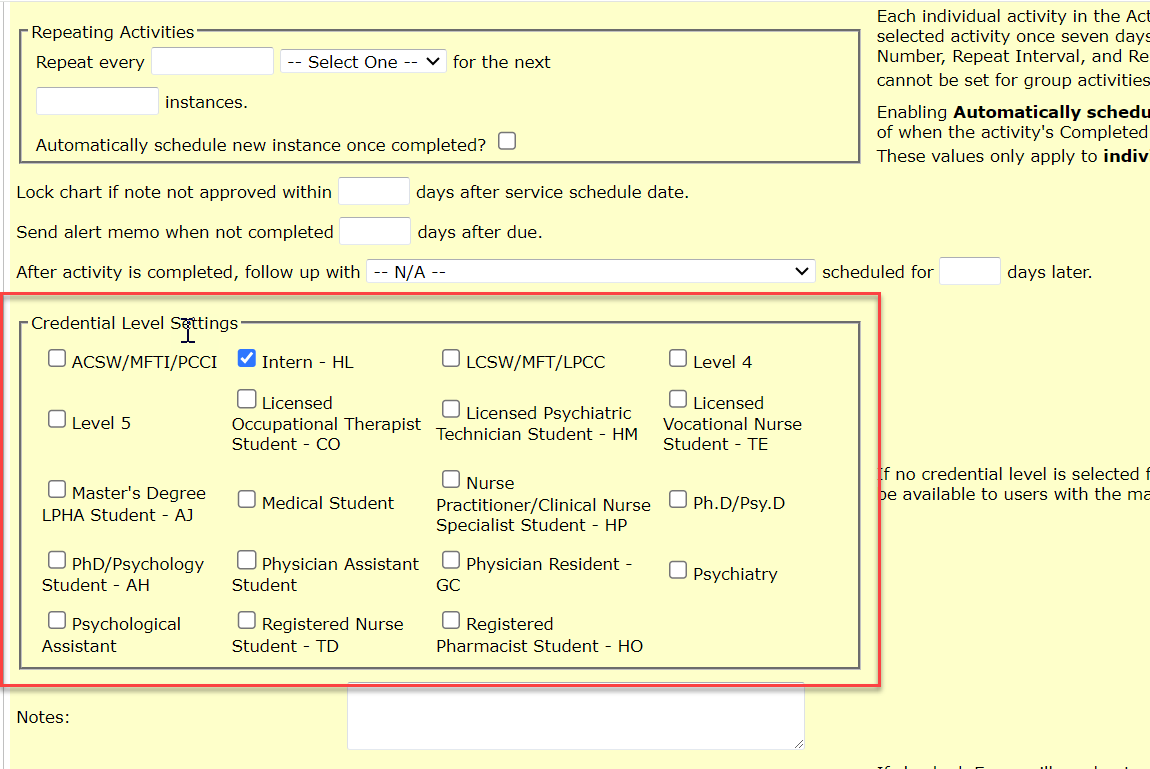
Navigate to admin à Programs à Activity Templates and select the desired program to edit. From there, select the desired activity template to edit. Once the screen reloads, you will see all the available activity settings for that activity. Look for the “Credential Level Settings” and select the options of user credentials that “should” see that activity in the dropdown. ***if a user has a credential level that does not match the activity template selection, it will not populate in the drop down menu for that user when selecting an activity type***