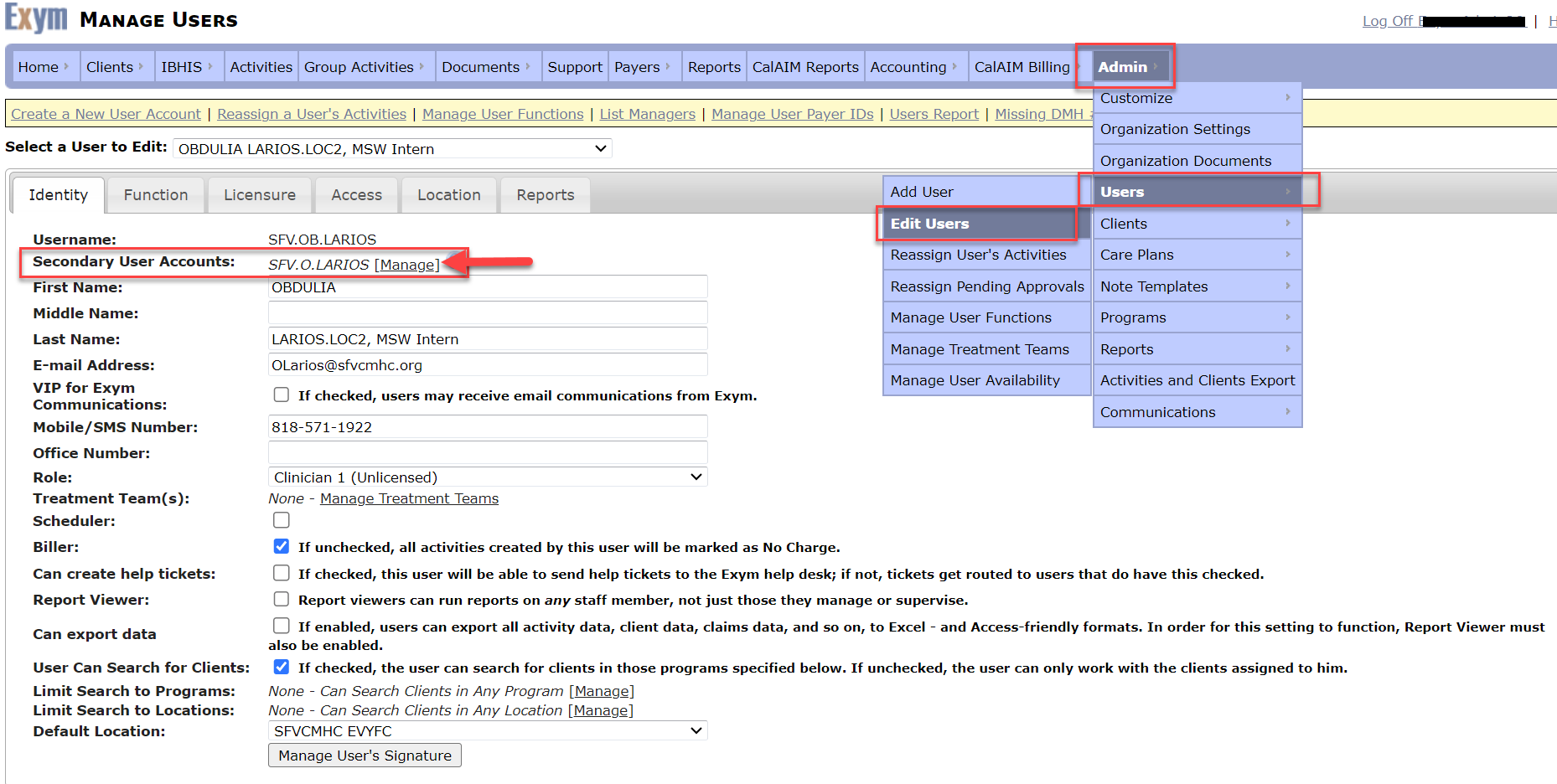
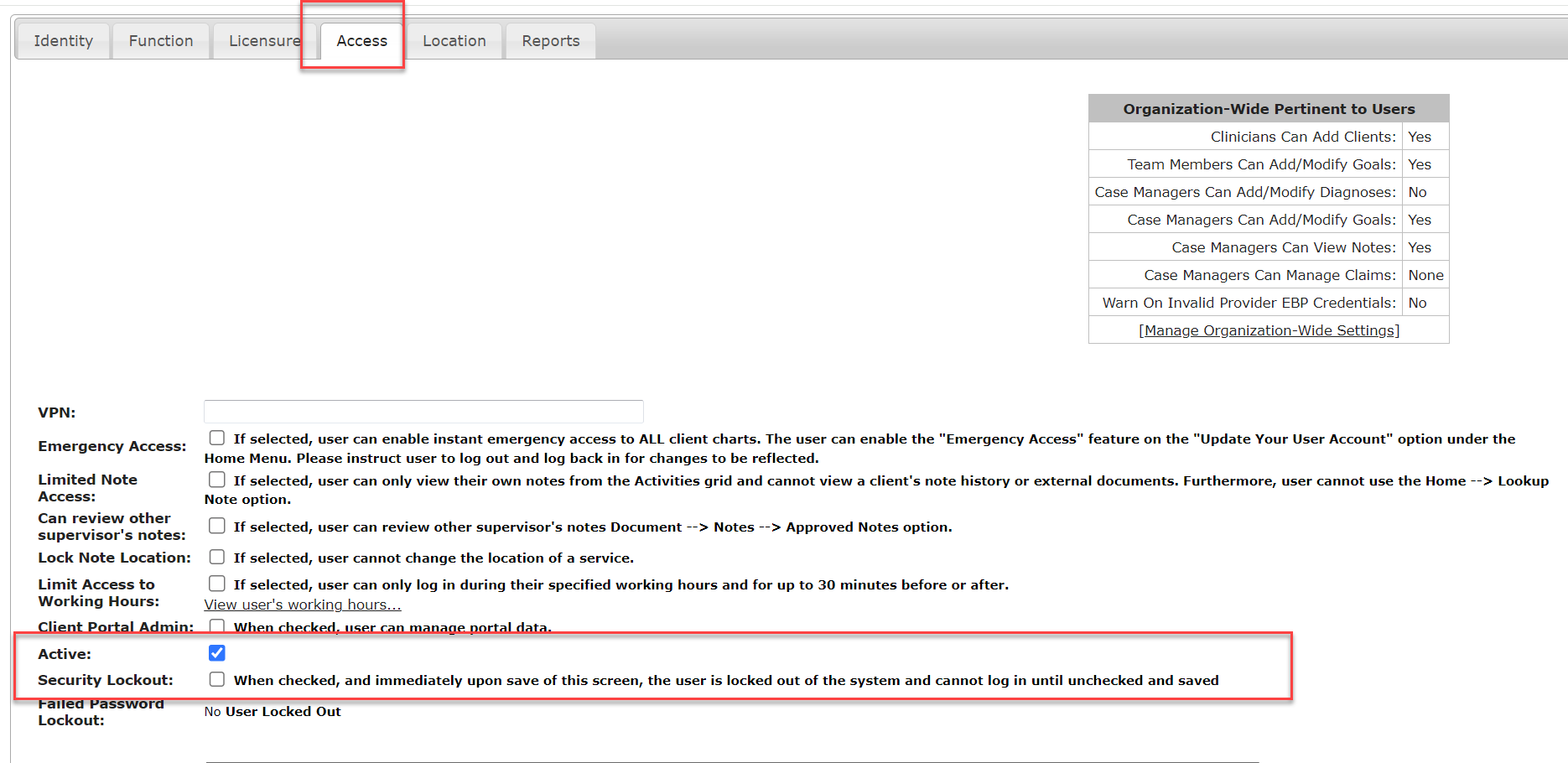
the linkage is handled at Admin à Users à Edit User and then looking at that user accounts “Master User Account.” By clicking on that, there is an option to “Remove” that Link. You can then proceed to inactivate the desired account from the “Access” tab by deselecting the “Active” checkbox.
If, you are unable to inactive the user because they have pending items, you can always do a “security lockout” on that account and then proceed to steps for reassigning activities as needed. This reassignment is found at Admin à Users à Reassign user’s Activities.