
Clinician 1: You assign a supervisor. All activities are routed to an assigned supervisor. If the user has an assigned supervisor and an assigned manager, nothing really happens. Activities are always routed to the assigned supervisor. Basically, you don’t need to assign a manager.
Clinician 2: You assign a Manager NOT a supervisor. You wouldn’t be able to assign a supervisor to a clinician 2. All notes are routed to the assigned manager for approval without co-signature.
Clinician 3: You assign a Manager NOT a supervisor. You wouldn’t be able to assign a supervisor for a clinician 3. LA County Assessments and Care Plans are routed for approval and co-signatures for clinician 3’s.
Clinician 4: You can assign a Manager not a supervisor. However, if a user a clinician 4 all activities are automatically approved and are not routed anywhere UNLESS the activity template that they are writing/adding is explicitly set to always require a managers approval. If an activity is set that way, when a clinician 4 writes that activity it will be routed to their assigned manager for approval. Here is a screenshot of the activity setting that I am referring to:
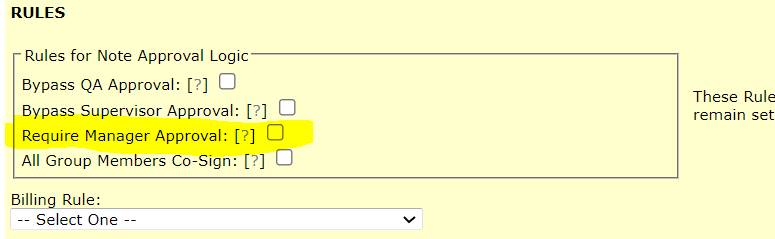
When creating or editing a user's access level keep in mind the following:
Clinician 1 = Assign a Supervisor
Clinician 2 = Assign a Manager/NOT a supervisor
Clinician 3 = Assign a Manager/NOT a supervisor
Clinician 4 = You don’t HAVE to assign anything because nothing is routed. UNLESS you have activities set to always require a managers approval (regardless of role). In which case, you’d assign a Manager.
What is best practice for when a clinician has 2 supervisors, e.g., CFL Program Manager and Program Coordinator. both should be able to approve staff, They don't want the provider to decide who to route it to, they want it always routed to Manager with Coordinator able to do some of her work when she is out or running behind. So... they both need access to each Note to approve and whomever gets to it first will do it. Does that make sense?
That makes sense! Unfortunately we don't have a way to set it so that it gets routed to both supervisors at the same time. However, we DO have a way to set user accounts so that if you are a supervisor you can approve notes that are routed to another supervisor whenever needed. You would set it up the following way:
1. On the supervisors user account, click the access tab and check the highlighted box in the screen shot below:
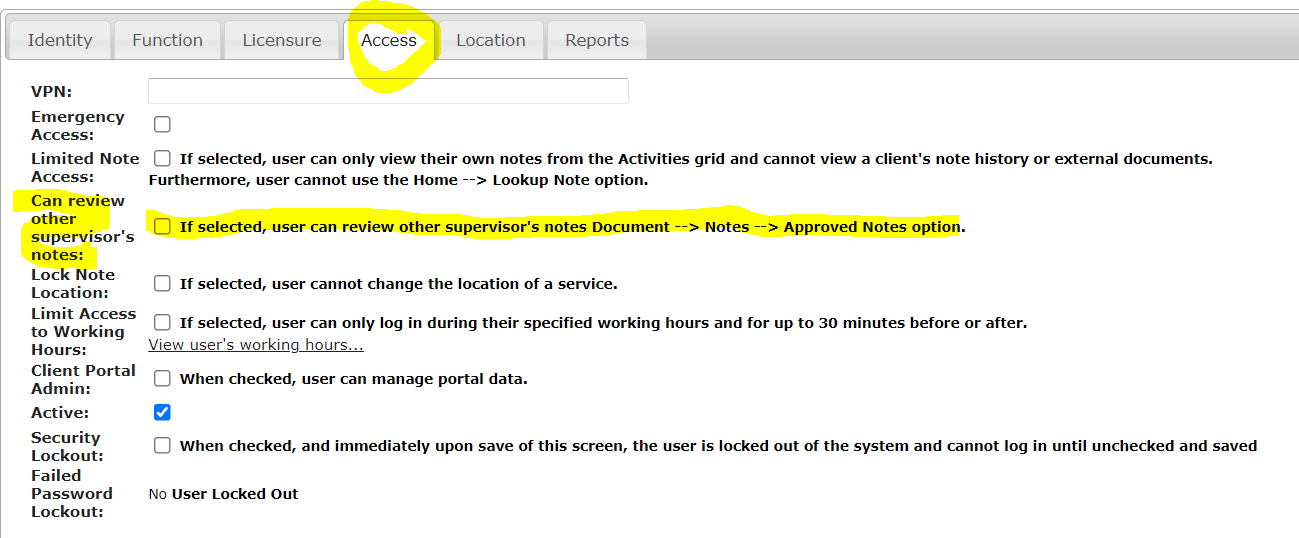
2. Repeat the same process for the second supervisor
3. The supervisor can then go to Documents --> Notes --> Approve Notes and approve notes that way. They would be seeing all notes routed on one list and can approve