In order to accomplish this, you would need to do the following:
- Make sure all clinicians have a manager assigned on their user account set-up. This is under Admin -> Users -> Edit Users -> Select the user -> Click the function tab -> There is a field on that screen where you can add a manager. In this case it’s the person approving these activities.
- Go to Admin à Programs à Activity Templates à Select MAT in the drop downà Locate the activity on the list and click edit à Scroll towards the middle/bottom of the screen and click the box that says “Require Manager Approval” à Click Update. Repeat this process for both codes
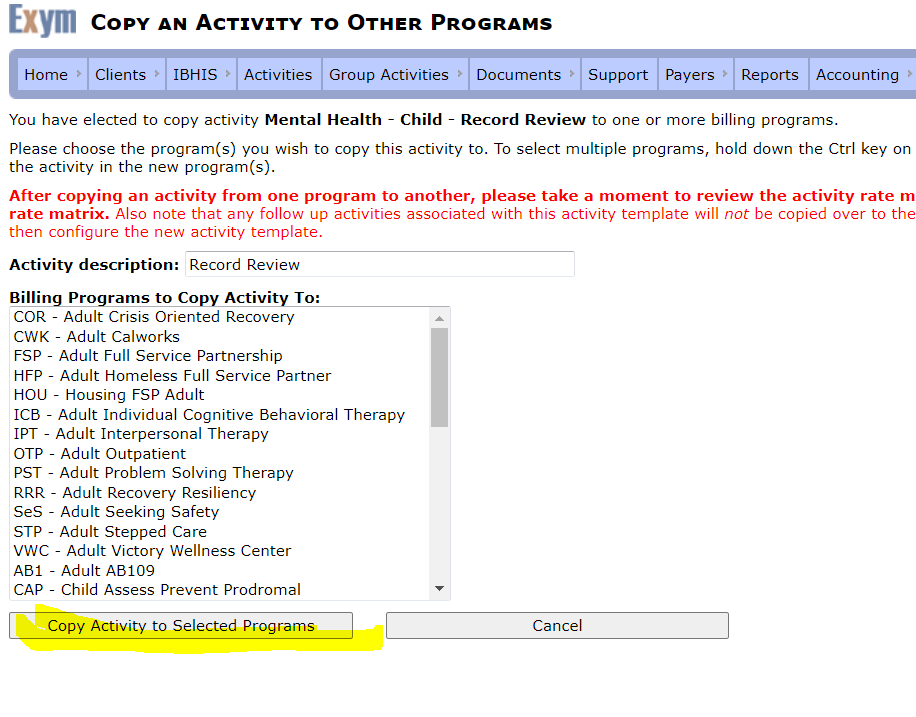
- Next to the activity there will be a copy link (on the right side of the screen) à Click copy and hit ctrl and highlight all programs on the list à Click copy activity to selected programs