
Billing Group is a way that you can group users together regardless of the client's they serve. Each user would need to be assigned to a single Billing Group and then we can add the billing group filter to this report. Then, instead of selecting specific users, whoever is running the report would just select a Billing Group and they would then return all activities performed by the users in that billing group. You state there are 25 staff assistants that run these reports. Does that mean you'd need 25 billing groups?
Essentially a Billing Group is way to lump users together based on a specific department. For instance, you may have wraparound, mental health, tbs, school based, or something like that. I just did this for another customer a few weeks so they could group filter their dashboards for directors and they had 13 distinct billing groups as where other customers may have 2 or 3.
You can add your own billing groups via Admin->Customize->Lookup Tables->Modify Lookup table data. The table is called lkpbillinggroup: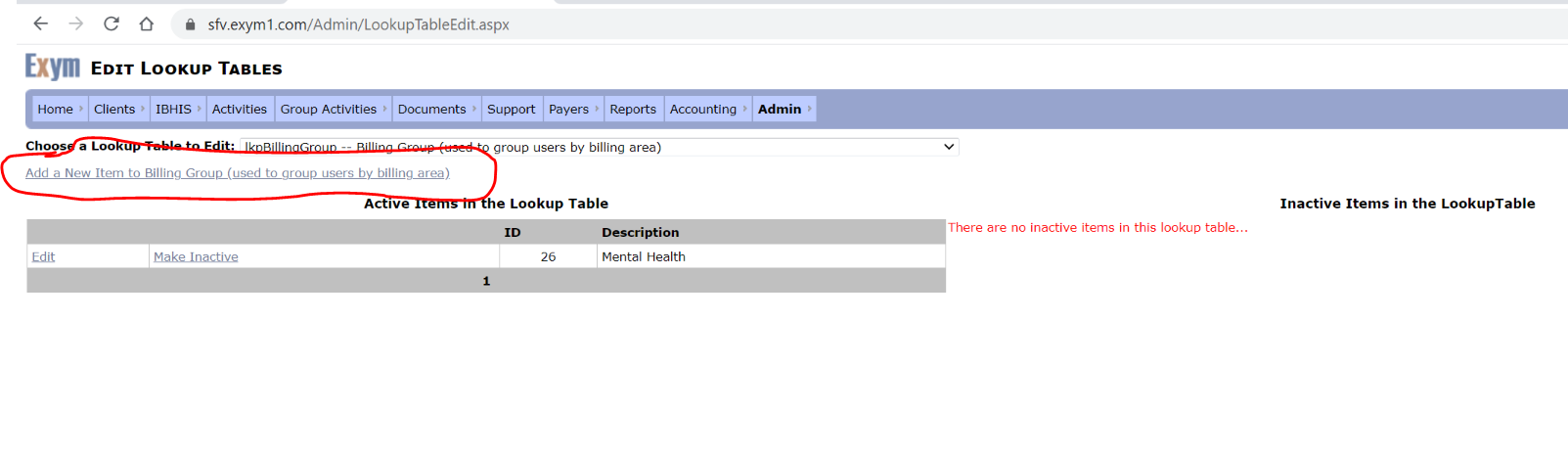
Then you add each user to the billing group in their user profile. Admin>User>Edit User, the go to the Function Tab on the user's profile and select the Billing Group to add them to.