
Update 9:
Reminder that two-factor authentication is active today. Refer to my previous email for instructions. If you have any issues, please reach out to IT or MIS.
Please note that the SMS/Text option is not available the FIRST time you log in (only email). Subsequent attempts will allow the use of text.
**********************
In order to further secure access to Exym please be aware that multi-factor authentication will be turned on beginning 9/4/2020. This will require you to enter an additional code (once per week) to access Exym.
Here is what you need to know to prepare for this change:
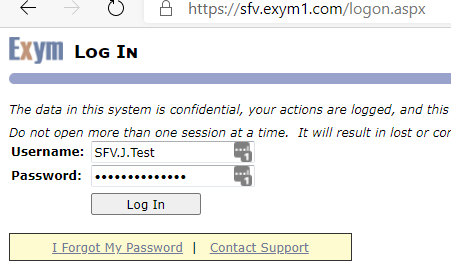
After you enter your username and password on the logon screen as normal…
You will be presented with a NEW screen which will give you an option to get a code via email or text…..
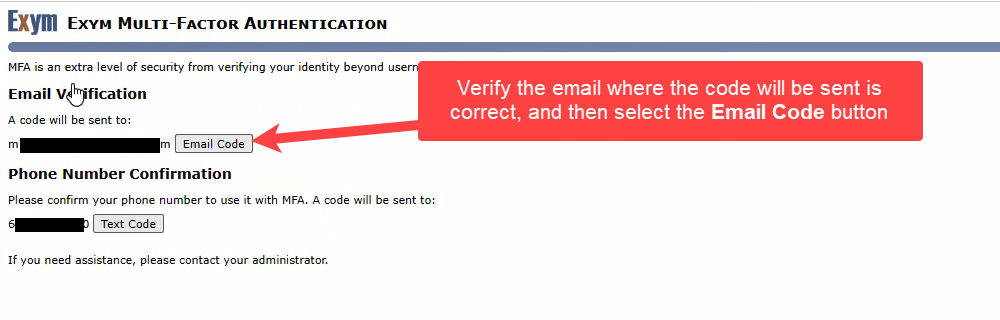
Please note that your phone number is most likely NOT your cell phone but a Center phone number. If this is the case, you MUST use the email option. You can update your phone number at any time from the HOME -> UPDATE YOUR USER ACCOUNT page if you prefer to use text authentication.
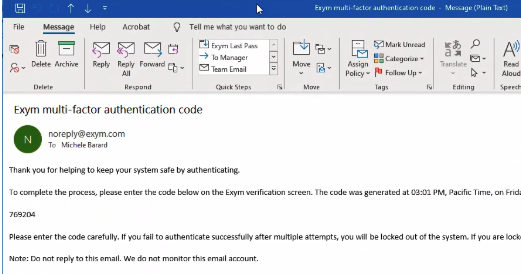
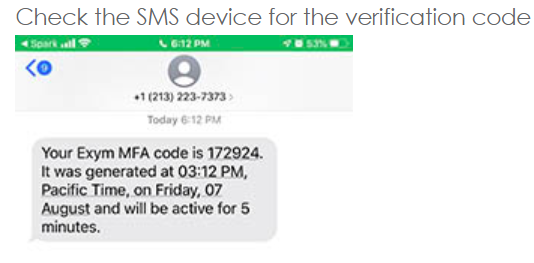
Once you select how you want to receive the code, you will receive an email or text with the code, as below:
OR as a text:
You will then be presented with the code confirmation screen:
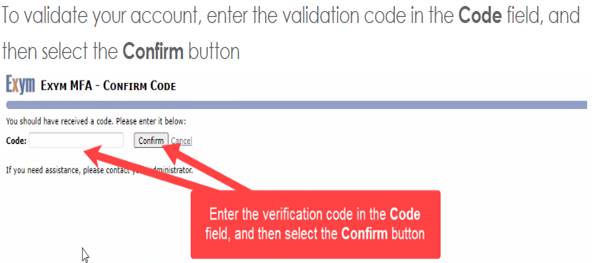
Once you confirm, you will be able to use Exym, as normal.
Please note this extra verification step will happen once per week PER location you use Exym from.