
To limit access to working hours, first the staff specifies their working hours found at Home – Specify Your Availability.
For example..
Under the staff user Home – Specify Your Availability. They put in the time that they start and end
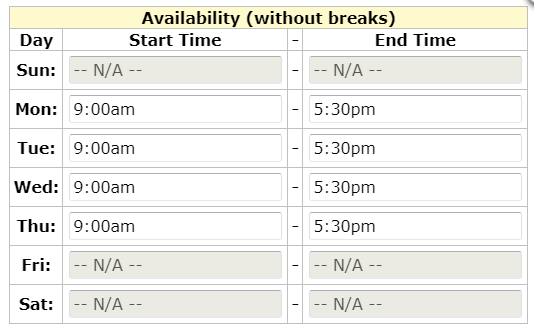 once they have set the times under their time availability, then staff with access to the user tab need to check the box 'Limit Access to Working', then the staff only can log in 30 min before or 30 minutes after their specified working hours.
 Note: if they see the client outside of working hours, e.g. a crisis or on-call staff, they can't log into the system and complete their notes until working hours resume.
Under the staff user Home – Specify Your Availability. They put in the time that they start and end
once they have set the times under their time availability, then staff with access to the user tab need to check the box 'Limit Access to Working', then the staff only can log in 30 min before or 30 minutes after their specified working hours. Note: if they see the client outside of working hours, e.g. a crisis or on-call staff, they can't log into the system and complete their notes until working hours resume.