
If you go to Clients -- Consultations from the main menu, you can add a consultation request for the doctor. That will send both a memo and a consultation request notification to the doctor. He or she can reply to that notification and update the consultation request to record rejection of the request or acceptance and the outcome. At the moment, your only option for a consultation type is Psychology Assessment but we can add one called Psychiatric Alert/Consult or whatever you'd like to call it.
Please see below that explains how you might do this using the Clients -- Consultations function.
Add consultation:
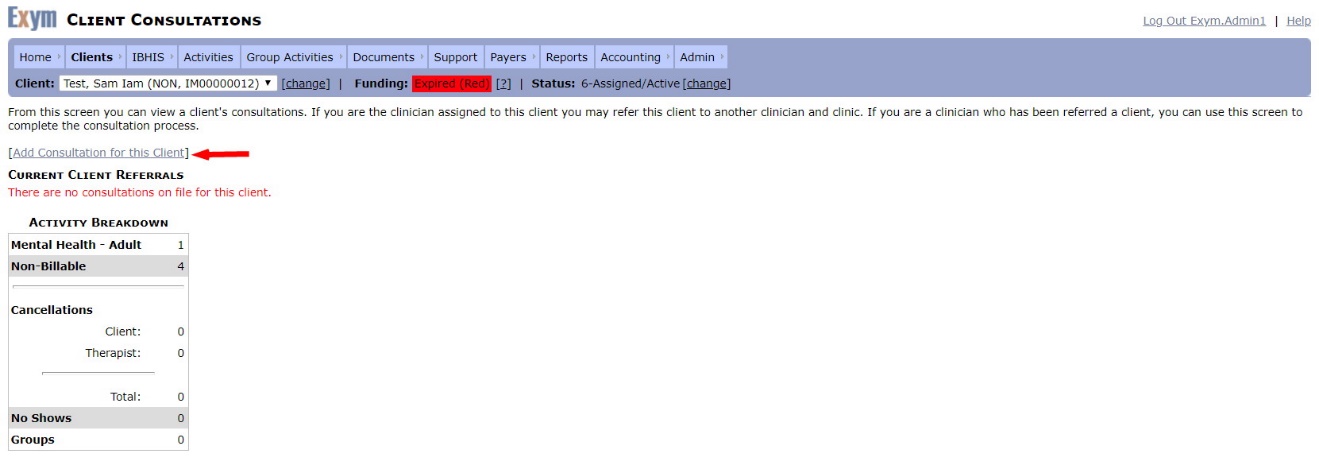
- Select Clients – Consultations from the main menu.
- Click Add Consultation for this client link.
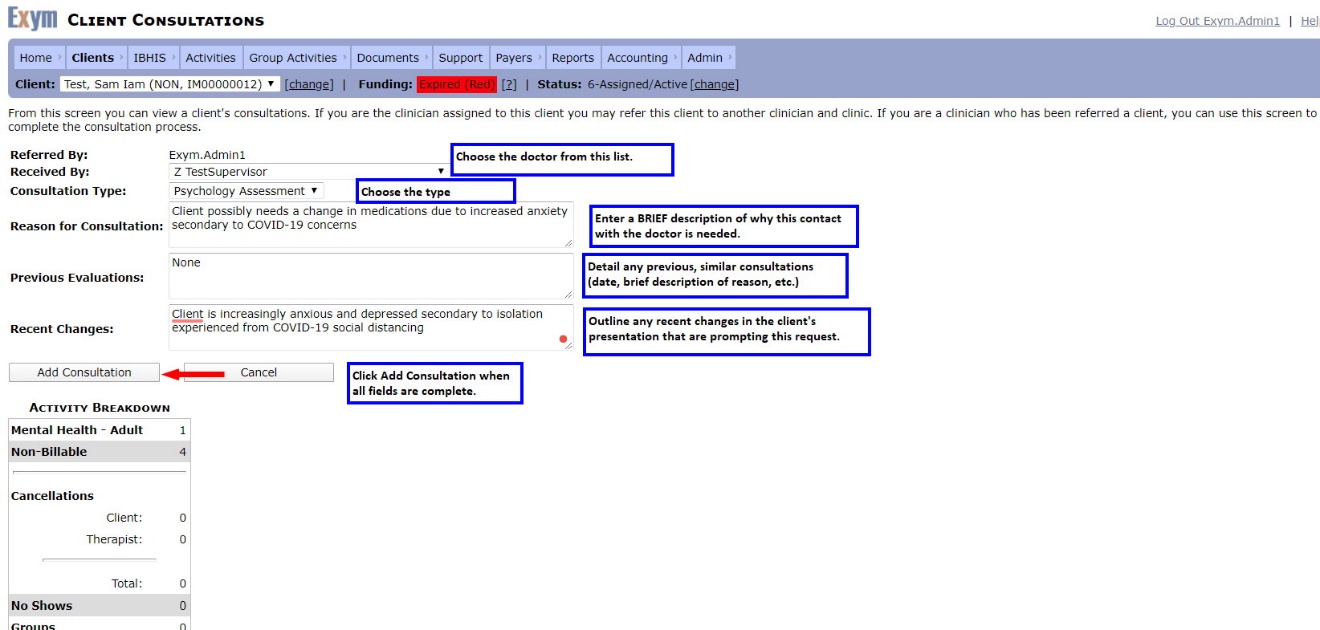
On the resulting screen, fill out the fields as illustrated/explained below, then click Add Consultation:
A memo is sent to the consultation request recipient and cc’d to the sender.

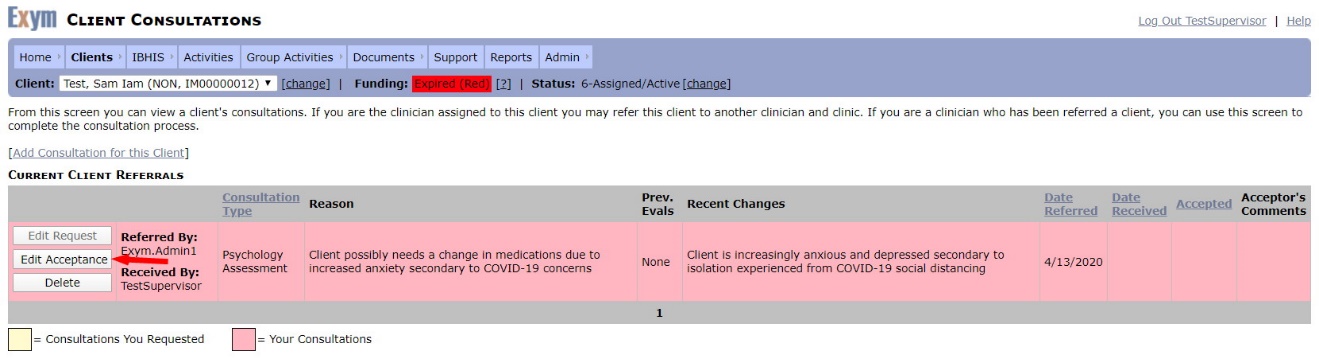
The recipient selects the client, then chooses Clients – Consultations from the main menu. On the resulting screen, they click Edit Acceptance.
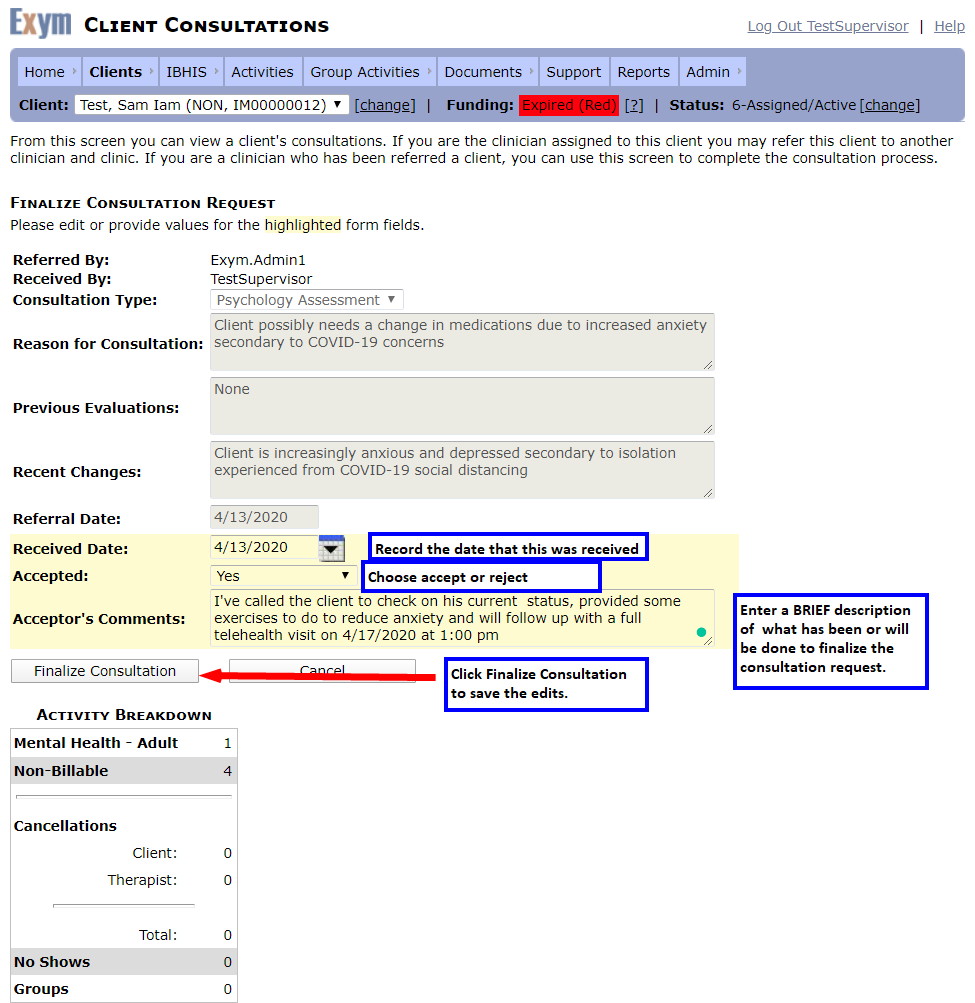
The recipient updates the Finalize Consultation Request screen as illustrated/explained below.
The recipient can reply to the memo on their home Page, by clicking Reply and typing in the desired response. In this case, I typed in “I've accepted and finalized your consult. request.” The memo reply will appear on both the original sender’s and the recipient’s Home Pages.