
Here are steps to take for ALL test clients.
First, Use the word TEST in the client name. fname or lname, not middle name
In order for the test client activities not to be invoiced, please go to the client's Assignment and check the box Test client
Then SAVE Assignment Data
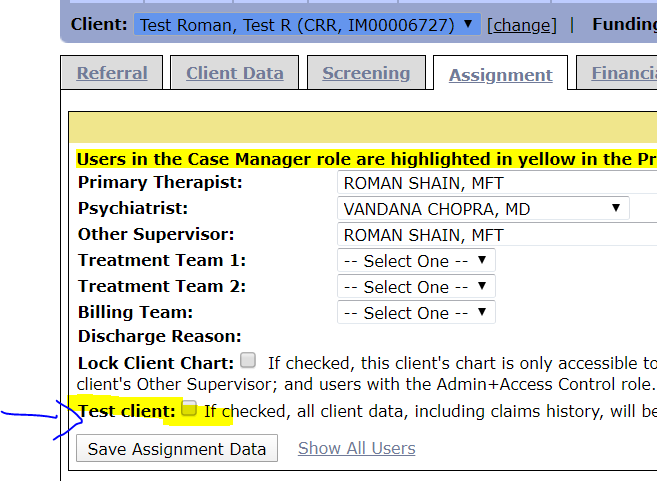
and then go to the Financial tab and change the funding to Expired Red. Then Save this screen too,

Please do this for all the test clients and the activities won't get billed, however, they will still show up on reports!
You should also follow the steps above to expire funding and check the test client checkbox, for this reason only:
Flagging a client as a test client enables easier cleanup if/when you decide to delete that client. It saves you the trouble of deleting activities and/or documents like assessments and care plans one-by-one before deleting the entire client record so that they don't continue to appear on reports or as outstanding items assigned to your users that need to be completed before you can deactivate a user's account.
Thanks