
Complete the PFI as follows:
1. Add all of the data to the various fields on the PFI until it's completely filled out and ready to sign. This can be done all at once or a little bit at a time - what's key is that they click the Save PFI Data button before trying to obtain a signature.
2. Before asking the client to sign, be sure to click the View Formatted PFI button. This is so they can be sure that the form is completely filled out and that the data that's automatically pulled in from other past of the Exym record is populating as needed,
3. If the formatted PFI looks correct, they should save it one more time, then click the button labeled Sign & Archive PFI. Their screen will update as follows: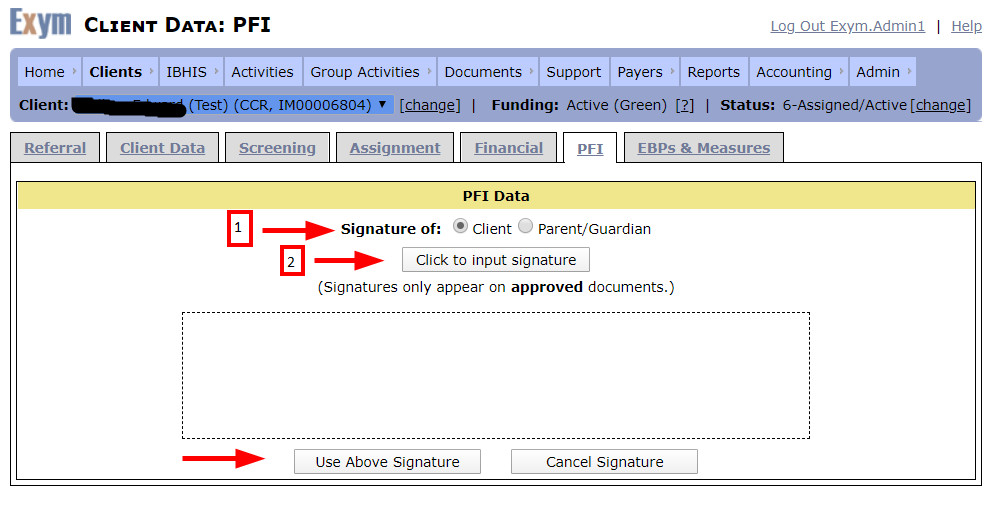
3. They need to bubble the appropriate choice next to Signature Of, then click the Click to Input Signature button. A new window will open to capture the signature. If it does not, ask the user to make sure they've turned off any pop-up blockers and try again. The new window may appear small at first but they can enlarge it as needed.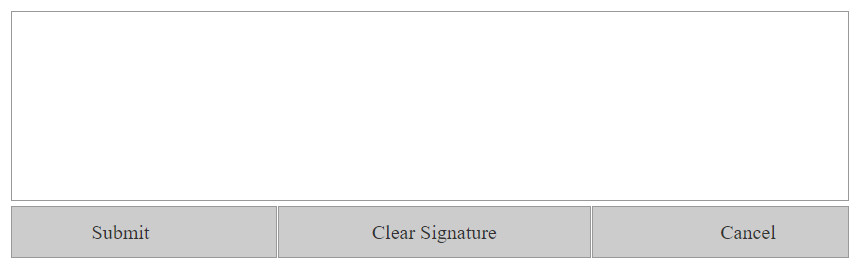
4. Ask the client to sign in the signature box and click Submit to save the signature.
This should save a signed copy of the PFI that can be viewed on the Documents -- External Client Documents screen in the same way as the test PFI I referenced for test client IM00006804 earlier in this thread.
There's some context-sensitive help available by clicking the Help link in the upper right corner of the PFI screen that may prove useful.
****************
If the PFI hangs when trying to save a PFI... this may be the issue:
why the system is not saving and just have the blue bar with SAVING PFI DATA appears hanging..
If you put the N/A on the numeric fields, then the system won't save 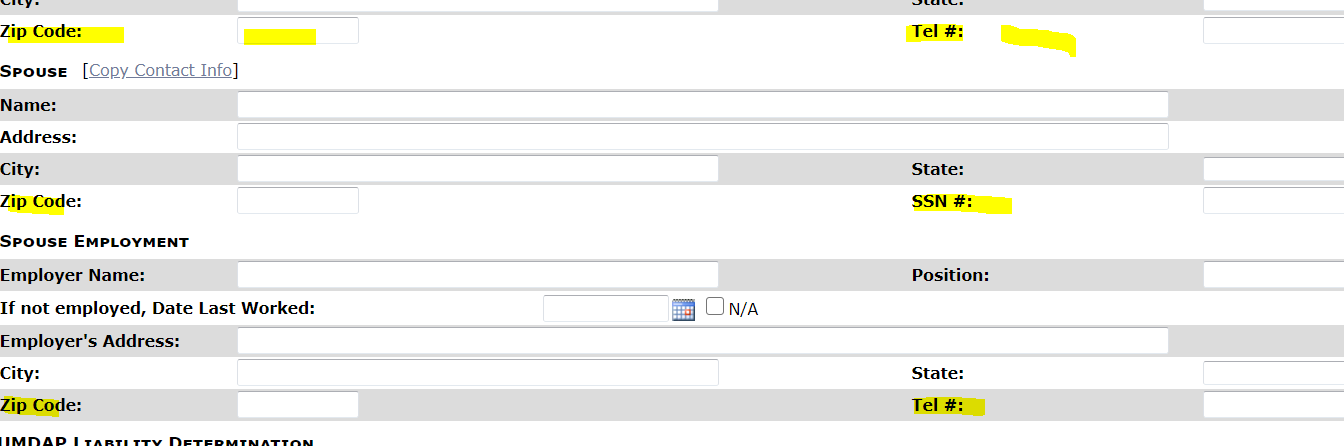 and if you're trying to put n/a anyway, there's a red asterisk indicating that you can't put n/a, so for the numeric fields, you'd just leave blank or check the box N/A where its applicable.
Please try again for these clients and leave the numeric fields blank and just put N/A on the text fields or check the box N/A and fill out the rest if applicable and try to save the PFI again .